Work Order⚓︎
- The work order feature is mainly responsible for requesting and reviewing authorization work orders, as well as managing command filtering and asset login reviews. JumpServer authorization requests support a two-level approval workflow. After users submit a work order request and the corresponding approvers in the configured workflow approve it, the user can obtain permissions for the requested assets or user login request reviews and command filtering.
1 My Requests⚓︎
- The My Requests page mainly displays detailed records of work orders created by users. On this page, you can request work orders.
Request Work Order
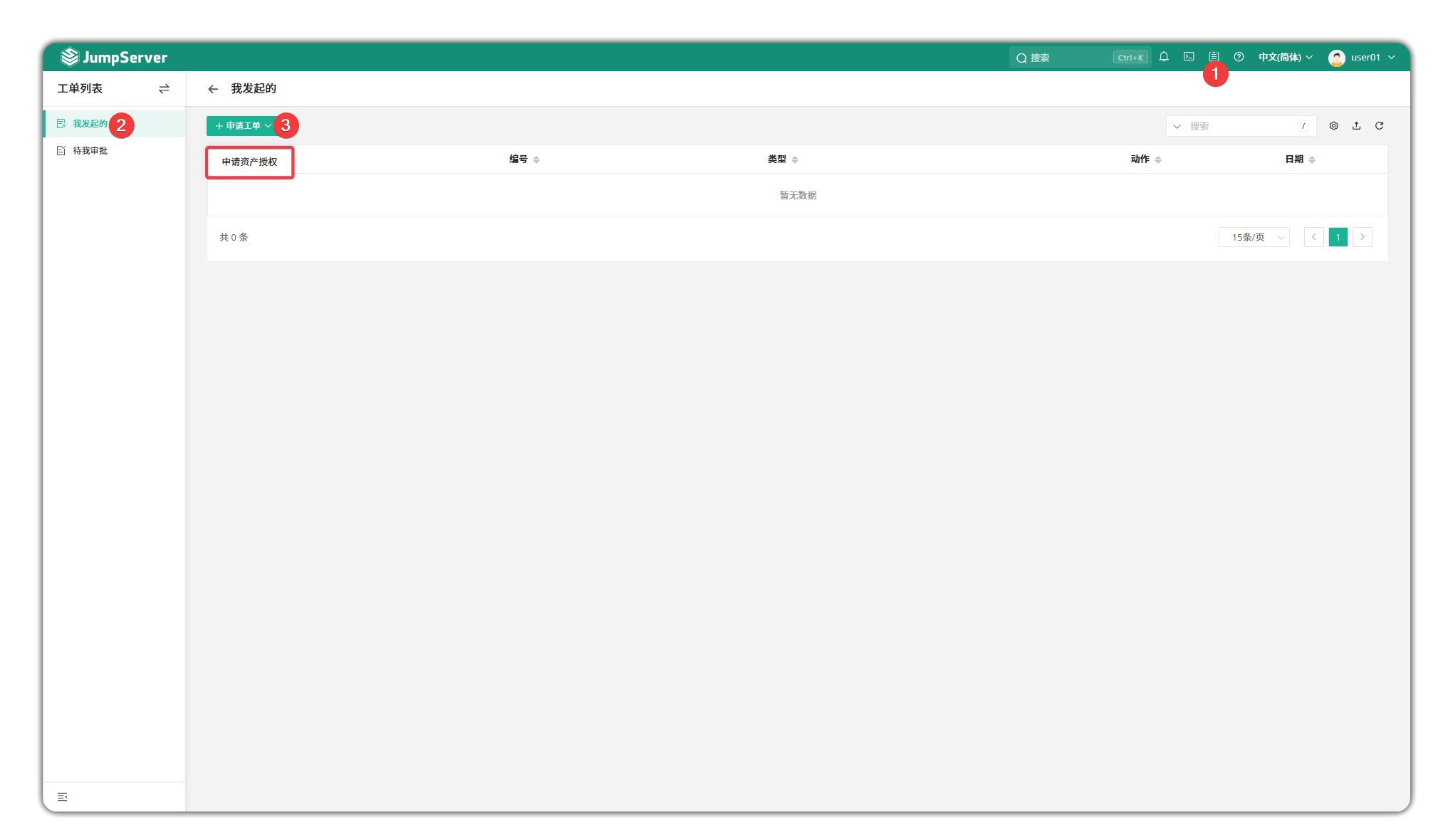
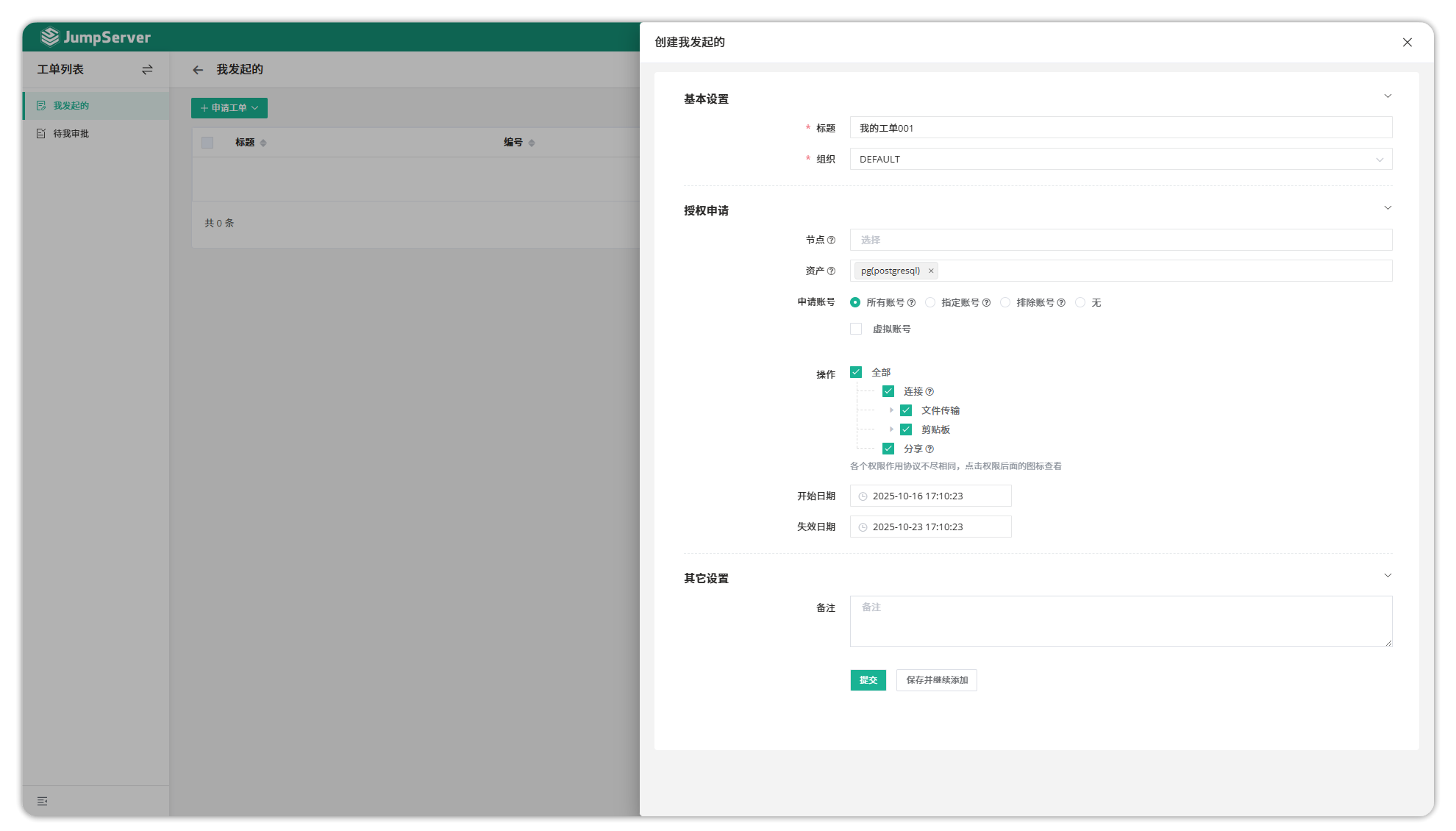
Parameter Description
| Parameter | Description |
|---|---|
| Title | The title of the work order. |
| Organization | The organization for which the work order is requesting permissions and where the JumpServer user belongs. |
| Node | The node where the asset is located. Selecting a node means requesting permissions for all assets under that entire node. |
| Asset | The specific asset that the user is requesting. |
| Request Account | The login account for the asset that the user is requesting. |
| Operation | The action permissions that the user is requesting. |
| Start Date, Expiration Date | The validity period for the user's requested permissions. |
View Work Order
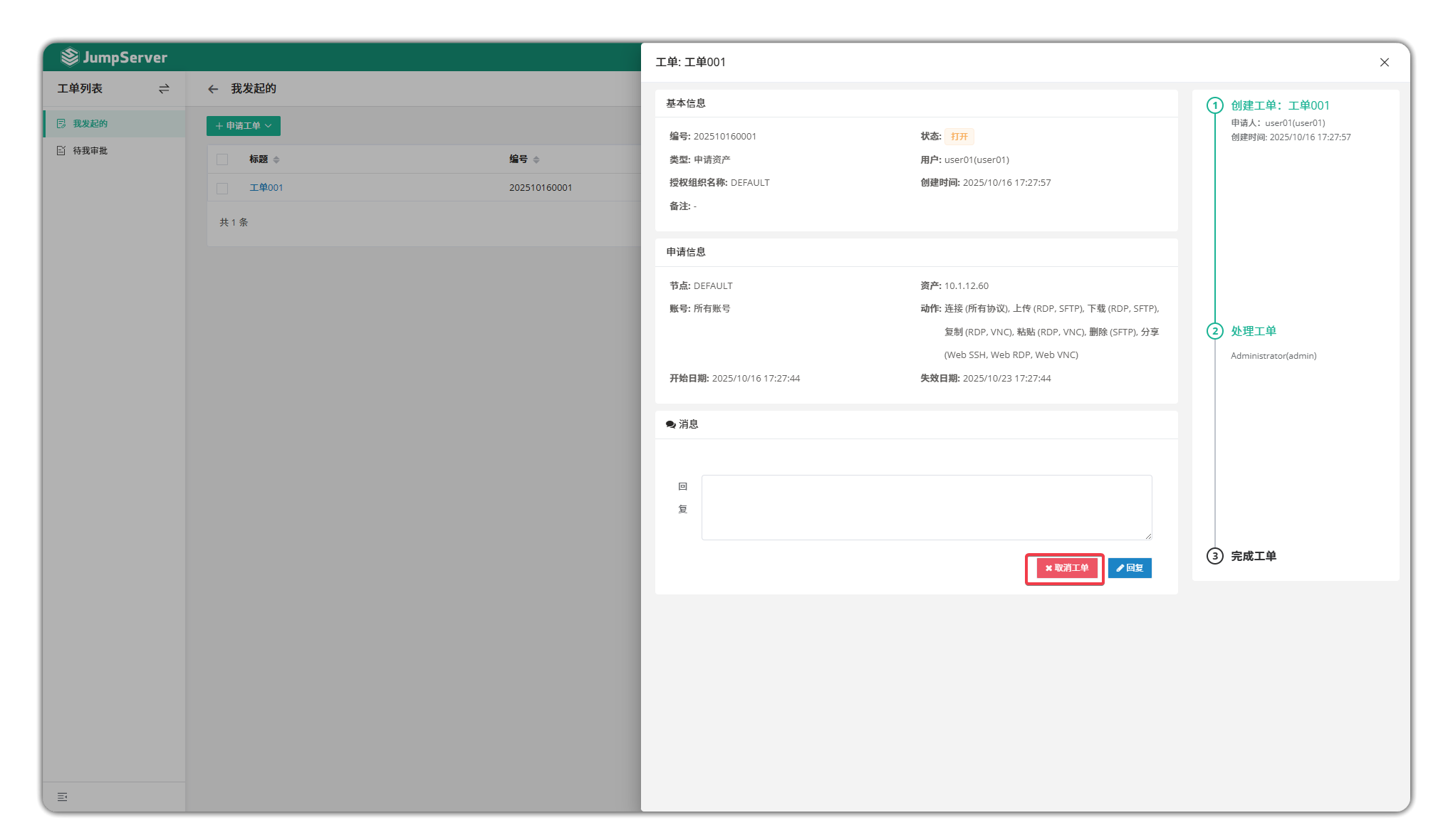
- Click the Work Order Title button to enter the work order details page. The work order details page includes the work order's basic information, request information, and approvers. On this page, you can also communicate with approvers.
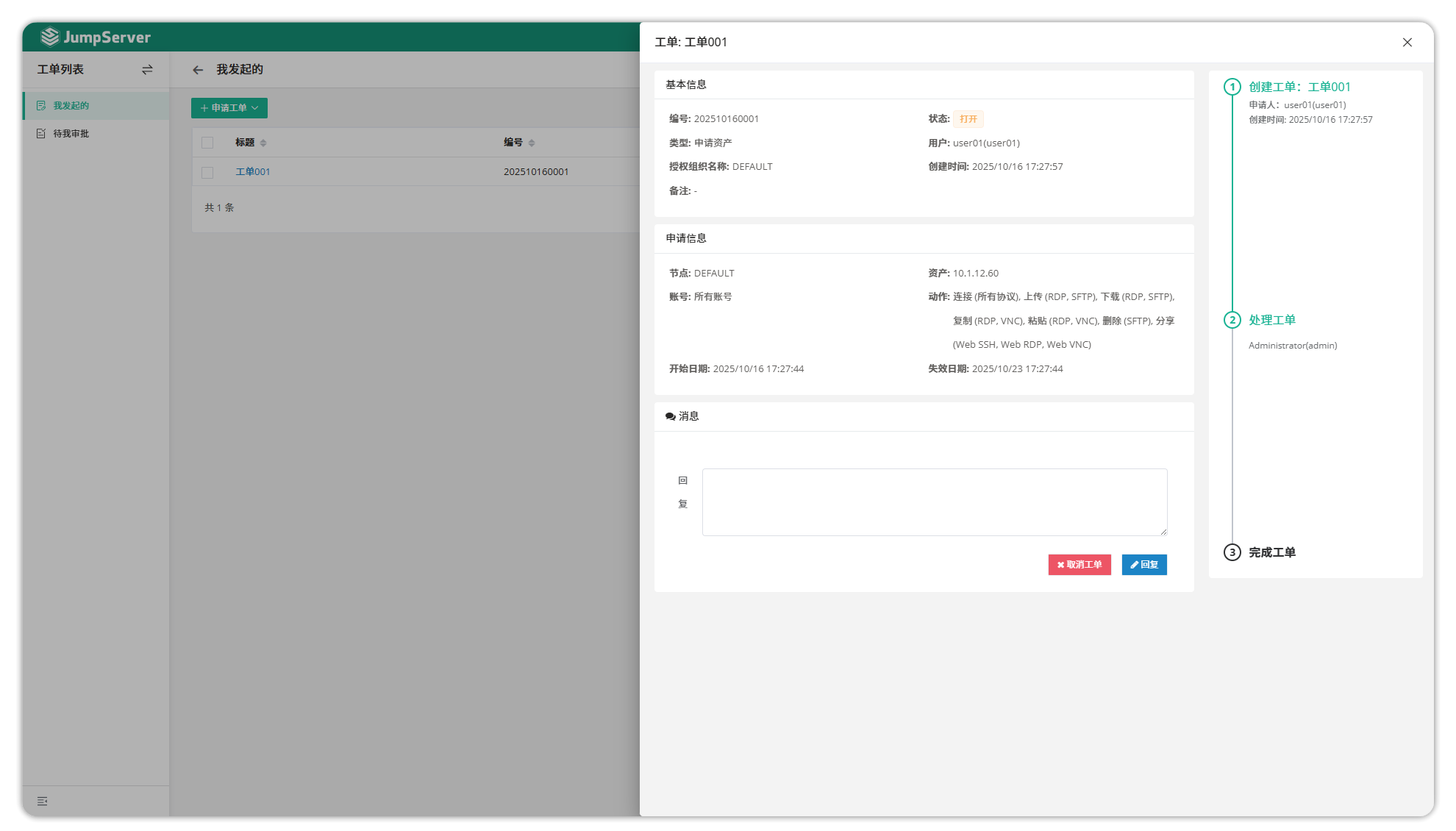
Cancel Work Order
- You can manually cancel the work order on the work order details page.
2 Awaiting My Approval⚓︎
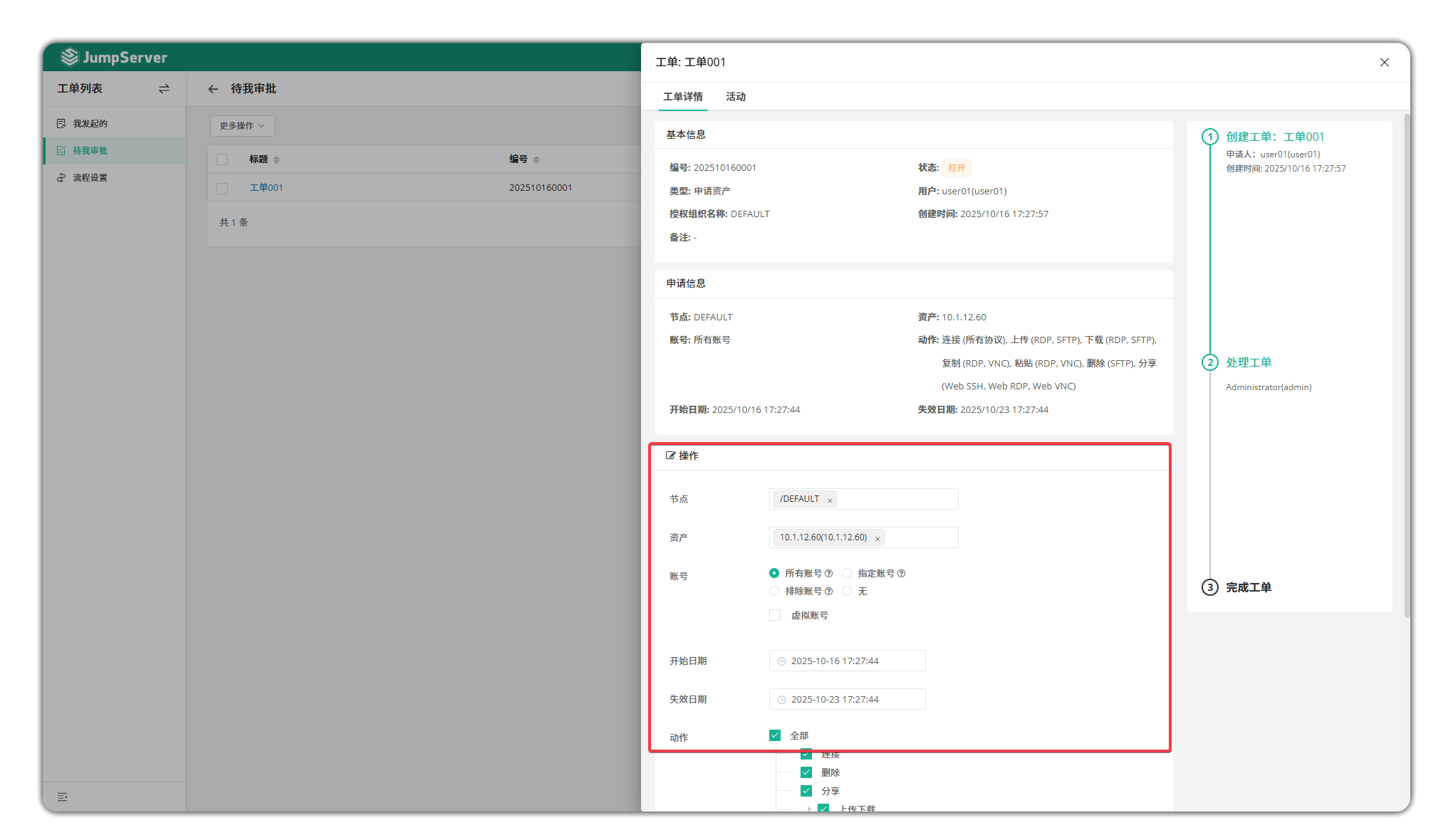
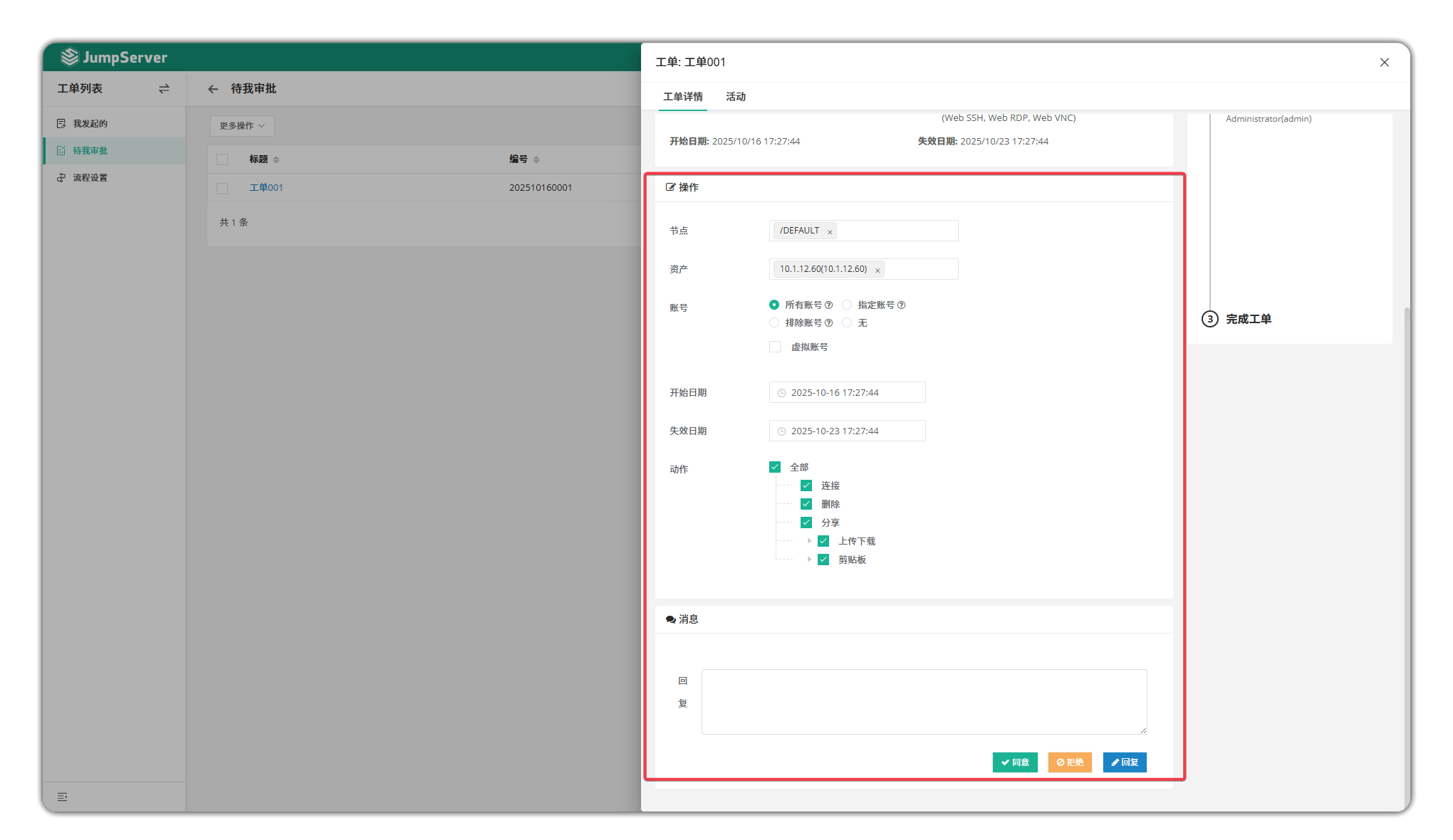
- On the Awaiting My Approval page, click the Work Order Name button to review and approve the work order. When approvers view the work order, they can modify the permissions for assets, accounts, operations, etc. requested by the applicant.
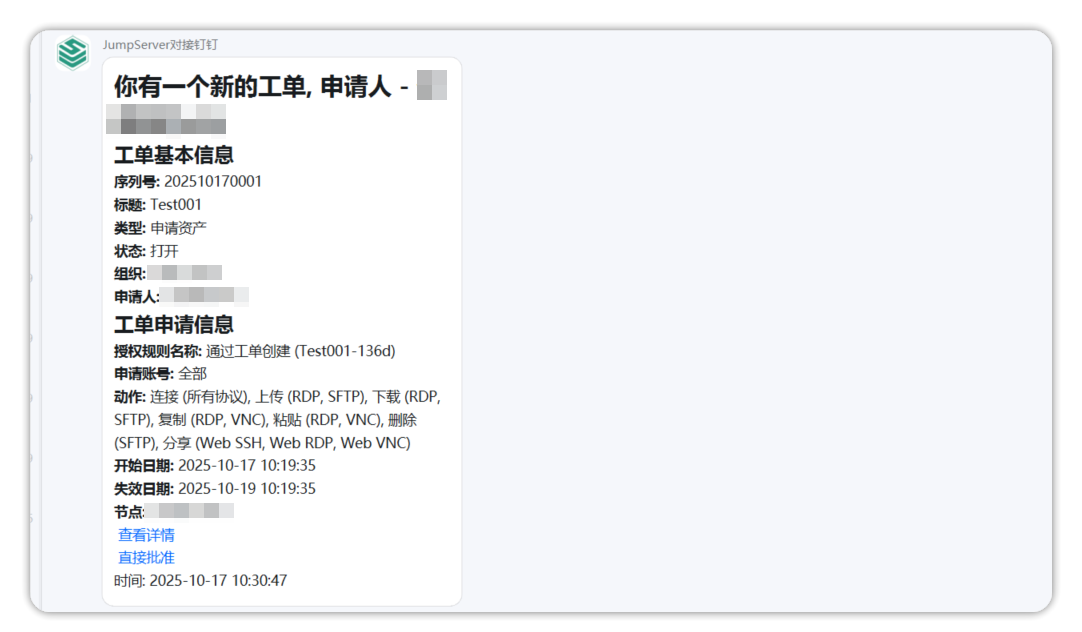
- In addition to approving on the JumpServer page, JumpServer also supports direct work order approval through enterprise WeChat and DingTalk. When the approver's enterprise WeChat or DingTalk is bound, the approver can approve applicant work orders in real-time through enterprise WeChat or DingTalk.